WireGuard vs OpenVPN: differences, tradeoffs, and which to choose


TL;DR
- WireGuard is a modern, lightweight protocol built for speed, fast reconnects, and mobile battery life.
- OpenVPN is a battle-tested, highly configurable protocol that works on almost any network and easily bypasses strict firewalls.
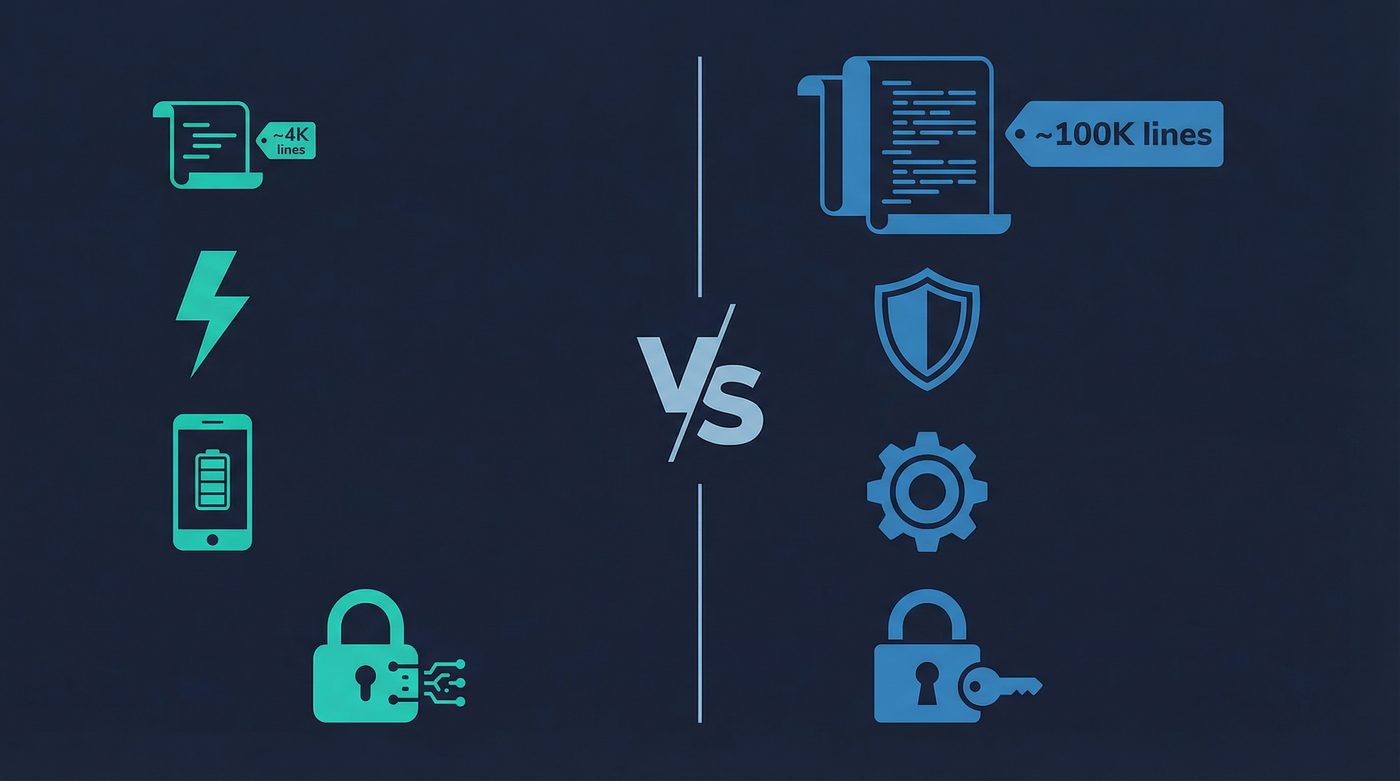
- WireGuard uses a small codebase (around 4,000 lines) and modern cryptography, making it easier to audit but less flexible.
- OpenVPN uses a massive codebase (over 100,000 lines) and supports both TCP and UDP, making it highly adaptable but more resource-intensive.
- For most users, WireGuard is the best default choice, while OpenVPN serves as a reliable fallback for restrictive networks.
What a VPN Does (and Doesn't)
✅ A VPN does: - Encrypts your connection between your device and the VPN server - Helps reduce exposure on public networks - Hides your IP from many websites and services - Routes traffic through a server you choose (changes apparent location)
❌ A VPN doesn't: - Make you anonymous - Stop all tracking (cookies and fingerprinting still exist) - Encrypt data end-to-end across the entire internet - Protect you from phishing, malware, or human error
When you connect to a VPN, your data travels through an encrypted tunnel. The rules that govern how this tunnel is built, how data is encrypted, and how it moves across the internet are defined by a VPN protocol.
For years, OpenVPN was the undisputed standard. Then came WireGuard—a newer, leaner protocol that promised better speeds and modern cryptography. Today, almost every major VPN provider offers both. But which one should you actually use?
This guide breaks down the technical differences, the real-world tradeoffs, and how to choose the right protocol for your specific needs. No marketing hype—just the facts.
WireGuard: The Modern Standard
WireGuard was built from the ground up to be fast, secure, and simple. It was designed to replace older, bloated protocols with something leaner and more efficient.
Key Features
Speed and Performance WireGuard is incredibly fast. Because it operates inside the Linux kernel (the core of the operating system) and uses highly optimized cryptography, it can process data much faster than older protocols. This means less overhead and better overall speeds.
Fast Reconnects If you switch from Wi-Fi to cellular data, or if your connection drops momentarily, WireGuard reconnects almost instantly. You often won't even notice the transition. This makes it exceptionally good for mobile devices.
Small Codebase WireGuard is built on roughly 4,000 lines of code. For context, OpenVPN has over 100,000 lines. A smaller codebase means fewer bugs, a smaller attack surface, and a system that is much easier for independent security researchers to audit.
Modern Cryptography Instead of offering a massive menu of encryption options, WireGuard forces the use of modern, highly secure cryptographic primitives: ChaCha20 for symmetric encryption, Poly1305 for authentication, and Curve25519 for key exchange.
Tradeoffs
Less Configuration Flexibility WireGuard's simplicity is a double-edged sword. It doesn't support TCP (Transmission Control Protocol), only UDP (User Datagram Protocol). This means it can struggle to bypass strict firewalls that block UDP traffic.
Static IP Assignment By design, WireGuard assigns static IP addresses to connected devices. While this is fine for a personal server, commercial VPNs have to build complex workarounds to ensure user privacy and prevent IP logging.
Newer Technology While WireGuard is highly secure and widely adopted, it simply hasn't been around as long as OpenVPN. It hasn't faced the same decades of relentless real-world attacks.
OpenVPN: The Battle-Tested Veteran
OpenVPN has been the industry standard for over two decades. It is highly configurable, incredibly resilient, and capable of running on almost any network configuration imaginable.
Key Features
Highly Configurable OpenVPN can be customized to do almost anything. It supports a wide range of encryption algorithms and can be configured to run on any port.
TCP and UDP Support Unlike WireGuard, OpenVPN supports both UDP (for speed) and TCP (for reliability). If you are on a restrictive network—like a corporate office or a country with heavy censorship—OpenVPN can disguise its traffic as regular HTTPS web traffic (TCP port 443), making it very difficult to block.
Battle-Tested OpenVPN has been scrutinized, attacked, and patched for over 20 years. It has survived the test of time and remains one of the most trusted protocols in existence.
Strong Ecosystem Because it has been around for so long, OpenVPN is supported by almost every router, operating system, and third-party VPN client on the market.
Tradeoffs
Slower Speeds OpenVPN operates in "user space" rather than the kernel, which adds overhead. Combined with its complex codebase, this generally results in slower speeds compared to WireGuard.
Resource Intensive OpenVPN requires more processing power. On mobile devices, this can lead to faster battery drain.
Slower Reconnects When your network changes (like walking out of Wi-Fi range), OpenVPN has to renegotiate the connection from scratch. This process can take several seconds, leaving you temporarily disconnected.
Which Should You Choose?
For most people, the choice comes down to what you are trying to achieve.
When to use WireGuard
- Everyday browsing and streaming: If you want the fastest possible speeds, WireGuard is the clear winner.
- Mobile devices: The fast reconnect times and lower battery consumption make it ideal for smartphones and tablets.
- Gaming: The lower latency and high performance are better suited for online gaming.
When to use OpenVPN
- Restrictive networks: If you are at a school, office, or in a country that actively blocks VPNs, OpenVPN (specifically using TCP) is much better at bypassing firewalls.
- Older hardware: If you are setting up a VPN on an older router that doesn't support WireGuard, OpenVPN is your best bet.
- Maximum configuration: If you need specific encryption algorithms or custom port configurations, OpenVPN provides the necessary flexibility.
The Hybrid Approach
You don't necessarily have to choose just one. A common and effective strategy is to use WireGuard as your default protocol for speed and convenience, and switch to OpenVPN only when you encounter a network that blocks WireGuard.
Security Comparison: Cryptography vs Battle-Testing
When discussing security, both protocols are exceptionally safe, but they approach security differently.
WireGuard relies on modern, opinionated cryptography. By forcing the use of specific, highly secure algorithms (like ChaCha20 and Poly1305), it eliminates the risk of a user accidentally configuring a weak encryption standard. Its tiny codebase also means that security auditors can review the entire protocol in an afternoon, making it much easier to spot and fix vulnerabilities.
OpenVPN, on the other hand, relies on its history. It uses the OpenSSL library, which supports a massive array of cryptographic algorithms (like AES-256). While its massive codebase makes it incredibly difficult to audit completely, it has the advantage of having been attacked by the world's best hackers for over 20 years. Every major vulnerability has likely been found and patched.
In short: WireGuard is secure because it is modern and simple. OpenVPN is secure because it has survived two decades of warfare.
The PrivateByRight Approach
At PrivateByRight, we believe in giving you the right tools for the job without overcomplicating the experience.
Both Protocols Supported
We support both WireGuard and OpenVPN across our applications. We default to WireGuard because it provides the best experience for 95% of users—delivering high speeds and seamless network transitions.
Easy Switching
If you find yourself on a restrictive network that blocks WireGuard, you can easily switch to OpenVPN directly within the app settings.
Privacy First
We have engineered our infrastructure to mitigate WireGuard's static IP requirements, ensuring that your privacy is maintained and that our strict no-logs policy is upheld, regardless of which protocol you choose.
Learn more: - No-logs explained: what it means, what to look for, and how we design for it - Does a VPN slow your internet? Causes, fixes, and realistic expectations - Encryption basics: what AES, ChaCha20, and handshakes actually mean
FAQs
Is WireGuard safer than OpenVPN?
Both are highly secure. WireGuard uses newer cryptography and has a smaller codebase, making it easier to audit. OpenVPN is older and has a massive codebase, but it has been battle-tested for over 20 years. Neither is inherently "safer" than the other; they just approach security differently.
Why does WireGuard only use UDP?
WireGuard was designed for maximum performance and simplicity. UDP is faster and has less overhead than TCP. By dropping TCP support, WireGuard's creators were able to keep the codebase incredibly small and efficient.
Can my ISP block WireGuard?
Yes. Because WireGuard only uses UDP and has recognizable traffic patterns, a determined ISP or network administrator can block it. If this happens, switching to OpenVPN (using TCP) is usually the best workaround.
Does WireGuard use less battery on my phone?
Yes. Because WireGuard operates more efficiently and doesn't have to constantly renegotiate connections from scratch when you switch networks, it generally consumes less battery power than OpenVPN.
Should I use TCP or UDP with OpenVPN?
Use UDP for speed (streaming, gaming, general browsing). Use TCP for reliability and bypassing strict firewalls. TCP guarantees data delivery but is slower due to the extra overhead.
How do I know which protocol I am using?
In the PrivateByRight app, you can check your current protocol in the settings menu. By default, we use WireGuard, but you can manually select OpenVPN if needed.
Sources & Further Reading
- Donenfeld, J. A. (2017). WireGuard: Next Generation Kernel Network Tunnel. NDSS Symposium.
- OpenVPN Technologies. (2023). OpenVPN Cryptographic Layer.
- Linux Kernel Organization. (2020). WireGuard merged into Linux 5.6.
- Schneier, B. (2018). Security Analysis of WireGuard.
- National Institute of Standards and Technology (NIST). (2001). Advanced Encryption Standard (AES).
Related Guides
- Learn more: Kill switch: what it is, why it matters, and how to test it
- Learn more: How to check if your VPN is working: IP, DNS leaks, a quick guide
- Learn more: VPN for streaming: what's realistic, what's not, and how to improve quality
- Learn more: VPN for gaming: reducing lag, avoiding DDoS, and choosing server locations
- Learn more: P2P, torrenting, and VPNs: privacy basics, safety, and what to avoid
- Learn more: Censorship & access: how blocking works and what a VPN changes