Private DNS: why DNS leaks happen and how Private DNS helps

TL;DR
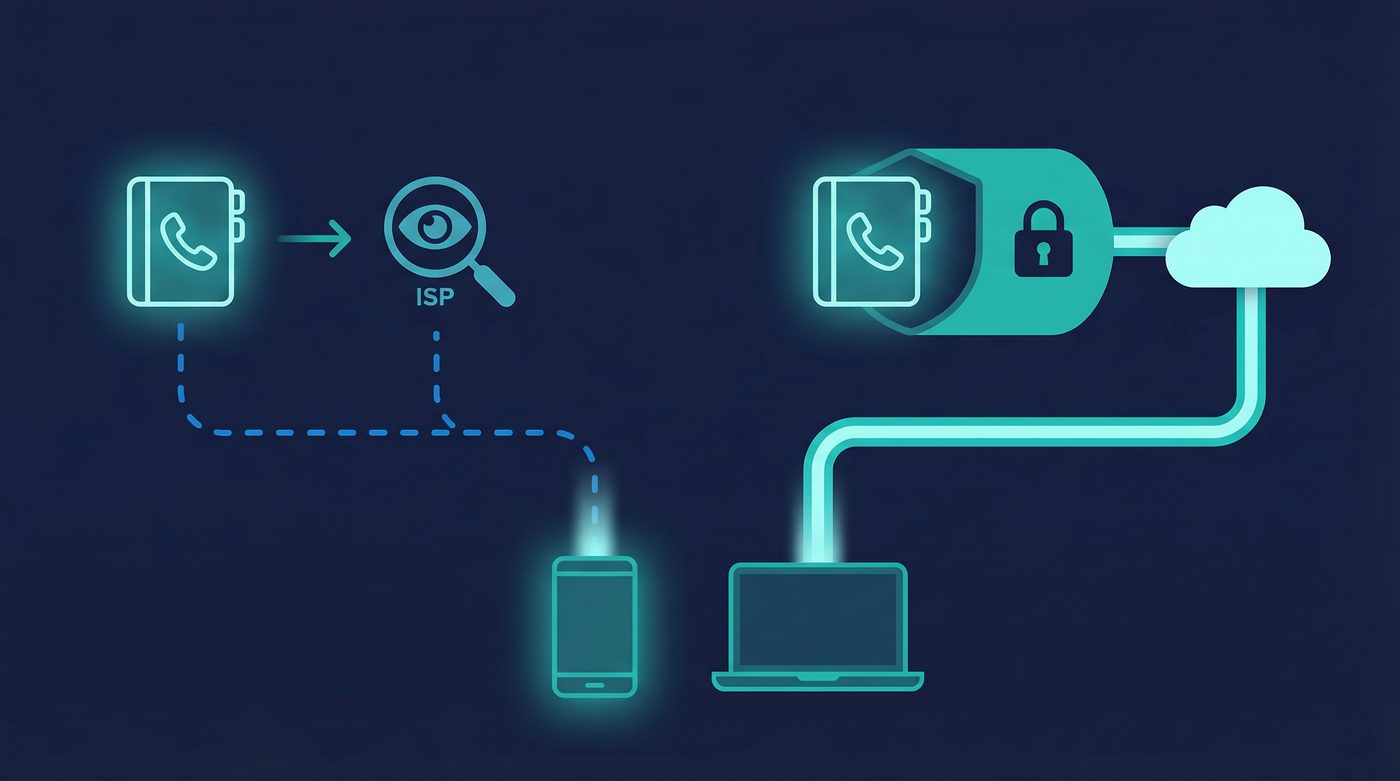
- DNS is the internet's phone book, translating domain names into IP addresses, but standard queries are sent in plain text.
- A DNS leak happens when your device bypasses the VPN tunnel and sends DNS queries directly to your ISP, exposing your browsing activity.
- Common causes of leaks include default ISP settings, IPv6 misconfigurations, and VPN disconnections without a kill switch.
- Private DNS routes all your DNS queries through the encrypted VPN tunnel, ensuring your ISP cannot see which websites you visit.
- You can test for DNS leaks using free online tools to verify that your VPN is properly securing your DNS traffic.
What a VPN Does (and Doesn't)
✅ A VPN does: - Encrypts your connection between your device and the VPN server - Routes your DNS queries through an encrypted tunnel - Hides your DNS requests from your ISP and local network administrators - Helps prevent DNS-based tracking and logging by your ISP
❌ A VPN doesn't: - Make you anonymous - Stop website-level tracking through cookies or browser fingerprinting - Prevent you from manually misconfiguring your device's DNS settings - Protect you if you voluntarily use a third-party DNS service outside the tunnel
Every time you type a website address into your browser, your device needs to figure out where that website actually lives. This process happens in the background, usually in milliseconds. But how your device gets that information—and who can see it—is one of the most common privacy vulnerabilities on the internet.
Even when you use a VPN to encrypt your traffic, a misconfiguration can cause your device to ask your Internet Service Provider (ISP) for directions instead of using the secure tunnel. This is called a DNS leak, and it completely undermines the privacy a VPN is supposed to provide.
This guide explains how DNS works, why leaks happen, and how Private DNS ensures your browsing activity stays inside the encrypted tunnel.
What DNS Is and Why It Matters
The Internet's Phone Book
The Domain Name System (DNS) is often described as the phone book of the internet. Humans remember domain names like privatebyright.com, but computers communicate using IP addresses like 192.0.2.1. DNS translates the human-readable names into the machine-readable numbers.
When you enter a URL, your device sends a DNS query asking, "What is the IP address for this domain?" A DNS server looks up the answer and sends it back. Once your device has the IP address, it can connect to the website.
The Privacy Problem
By default, standard DNS queries are sent in plain text. This means anyone monitoring your network connection—your ISP, a coffee shop Wi-Fi administrator, or someone intercepting traffic—can see exactly which websites you are asking to visit.
Even if the website itself uses HTTPS to encrypt the content of your communication, the initial DNS query reveals the domain name. Your ISP can log this information, build a profile of your browsing habits, and in many jurisdictions, sell that data or hand it over to authorities.
What a DNS Leak Is
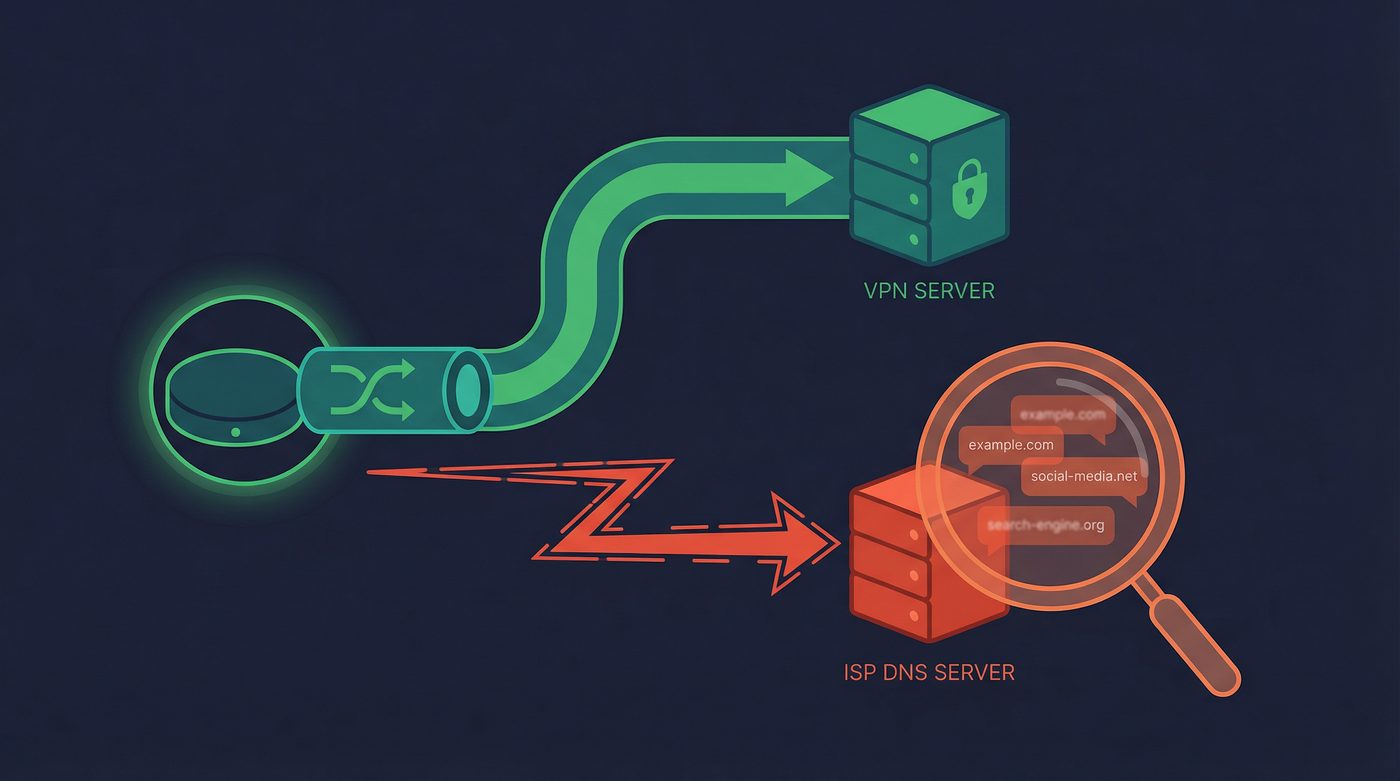
A DNS leak occurs when you are connected to a VPN, but your device sends DNS queries outside the encrypted VPN tunnel.
When a VPN is working correctly, it should route all your internet traffic—including DNS queries—through the encrypted tunnel to the VPN provider's DNS servers. If a leak happens, your device bypasses the tunnel and sends the query to its default DNS server, which is usually operated by your ISP.
Why It's a Problem
If your DNS queries leak, your ISP can see every website you visit, even though your actual data traffic is encrypted by the VPN.
Imagine you are sending a locked briefcase (your encrypted data) through a secure courier service (the VPN). But before you send it, you shout the destination address across the room so everyone can hear it (the DNS leak). The contents of the briefcase are secure, but your destination is public knowledge.
5 Common Causes of DNS Leaks
DNS leaks don't happen because the encryption fails; they happen because operating systems are designed to prioritize connectivity over privacy. Here are the most common culprits:
1. Device Using ISP DNS by Default
When you connect to a new network, the router automatically assigns your device a DNS server via DHCP. This is almost always the ISP's DNS server. If your VPN software doesn't explicitly override this setting and force all queries through the tunnel, your device will continue using the ISP's server.
2. IPv6 DNS Queries
The internet is transitioning from the older IPv4 address system to the newer IPv6 system. Many VPNs only support IPv4. If your device tries to resolve an IPv6 address and the VPN doesn't handle it, the query may leak outside the tunnel to your ISP's IPv6 DNS server.
3. Manual DNS Settings Override
If you have manually configured your device or router to use a specific DNS server (like Google or Cloudflare), your operating system might prioritize those manual settings over the VPN's instructions. This causes your queries to bypass the encrypted tunnel.
4. VPN Drops Without a Kill Switch
If your VPN connection drops momentarily, your device will immediately revert to its default, unencrypted connection to keep you online. Any DNS queries made during this window will go straight to your ISP. A kill switch prevents this by blocking all internet traffic until the VPN reconnects.
Learn more: Kill switch: what it is, why it matters, and how to test it
5. Windows Smart Multi-Homed Name Resolution
Windows includes a feature designed to speed up web browsing by sending DNS queries to all available network adapters simultaneously. It then uses whichever response comes back first. If your standard network adapter responds faster than your VPN adapter, the query leaks to your ISP.
How Private DNS Fixes Leaks
Private DNS solves the leak problem by ensuring that the translation process happens entirely within the secure environment of the VPN.
Here is the step-by-step mechanism:
- You connect to the VPN, establishing the encrypted tunnel.
- The VPN app configures your device to use the VPN provider's own DNS servers, overriding any local or ISP settings.
- Your device sends a DNS query when you visit a website.
- The query is encrypted along with the rest of your traffic and sent through the tunnel.
- The VPN's Private DNS server receives the query, resolves the IP address, and sends the answer back through the encrypted tunnel.
Because the query never leaves the encrypted tunnel until it reaches the VPN's own servers, your ISP and local network administrators cannot see it.
How to Test for DNS Leaks
You shouldn't just assume your VPN is handling DNS correctly. Testing for leaks is straightforward and takes only a minute.
Step-by-Step Testing
- Disconnect from your VPN.
- Visit a testing site like dnsleaktest.com.
- Run the standard test and note the ISPs and locations of the DNS servers listed. These are your default servers.
- Connect to your VPN.
- Refresh the page and run the test again.
Interpreting the Results
If the test results show the same ISP or location as your default servers, you have a DNS leak. Your queries are bypassing the VPN.
If the test results show the VPN provider's servers or a location matching your VPN connection, your DNS traffic is successfully routed through the encrypted tunnel.
Learn more: VPN leaks explained: DNS, IPv6, and WebRTC — and how to check yours
Private DNS vs. Third-Party DNS
You might wonder if you should just use a popular third-party DNS service instead of relying on your VPN. Here is how they compare.
Third-Party DNS (Google 8.8.8.8, Cloudflare 1.1.1.1, Quad9 9.9.9.9)
These services are often faster and more reliable than ISP DNS servers. Some, like Quad9, offer built-in malware blocking. However, if you use them without a VPN, your queries are still sent in plain text (unless you configure DNS-over-HTTPS or DNS-over-TLS). Furthermore, you are trusting these massive tech companies with your complete browsing history.
Private DNS (via VPN)
When you use a VPN's Private DNS, your queries are encrypted by the VPN tunnel. You don't need to configure complex protocols like DNS-over-HTTPS. The primary advantage is consolidation of trust: if you already trust your VPN provider with your data traffic, using their DNS means you aren't handing your browsing history to an additional third party.
The PrivateByRight Approach
We design our systems to ensure your DNS queries are treated with the same level of security as your data traffic.
Automatic Configuration
Our apps automatically configure your device to use our Private DNS servers the moment you connect. You don't need to change any settings manually.
Encrypted Queries
All DNS requests stay inside the encrypted tunnel. They are resolved by our own servers, meaning they never touch your ISP's network or third-party resolvers.
No-Logs on DNS
Our no-logs policy applies to DNS queries just as it does to connection data. We do not log, store, or track the domains you request.
Verification
You can verify that Private DNS is active directly in the PrivateByRight app settings, ensuring your traffic is routed correctly.
Learn more: No-logs explained: what it means, what to look for, and how we design for it
FAQs
Does Private DNS slow down my internet?
Generally, no. In many cases, a VPN's Private DNS is faster than the default DNS provided by your ISP, which can be sluggish or overloaded. The encryption overhead is minimal.
Can I use a custom DNS with PrivateByRight?
While we recommend using our Private DNS for maximum privacy, our apps allow you to configure custom DNS servers if you have specific needs, such as using a DNS-based ad blocker.
Does Private DNS block ads and trackers?
Standard Private DNS simply resolves domain names securely. However, some VPNs offer DNS-level filtering to block known ad and tracker domains before they load.
Is DNS-over-HTTPS (DoH) the same as Private DNS?
No. DoH encrypts DNS queries at the browser level, which is excellent for privacy when you aren't using a VPN. Private DNS encrypts queries at the system level by routing them through the VPN tunnel.
Why does my ISP care about my DNS queries?
ISPs can monetize your browsing data by selling anonymized profiles to advertisers. In some countries, they are also legally required to log this data for government surveillance purposes.
Sources & Further Reading
- Internet Engineering Task Force (IETF). (2015). "DNS Privacy Considerations." RFC 7626.
- Cybersecurity and Infrastructure Security Agency (CISA). (2022). "Securing the Domain Name System."
- Electronic Frontier Foundation (EFF). (2019). "The Tor Project and DNS Leaks."
- Mozilla Foundation. (2021). "DNS-over-HTTPS (DoH) Privacy Policy Requirements."
- Center for Democracy & Technology. (2020). "The Privacy Implications of DNS."
Related Guides
- Learn more: Metadata vs content: why who, when, where can matter as much as what
- Learn more: How to check if your VPN is working: IP & DNS leaks, a quick guide
- Learn more: Tracking 101: cookies, pixels, device IDs — and where a VPN fits
- Learn more: Do VPNs make you anonymous? What a VPN can and can't hide
- Learn more: Kill switch: what it is, why it matters, and how to test it
- Learn more: VPN leaks explained: DNS, IPv6, and WebRTC — and how to check yours
- Learn more: No-logs explained: what it means, what to look for, and how we design for it